Paper Snowflake Three Stars: Match Scores and Cut Tips
Earn Paper Snowflake three stars with exact match thresholds for all 15 levels, fold-cut tips, hole punch controls, and smarter snip planning for each run.
Jump to
How to Earn Three Stars in Paper Snowflake
Paper Snowflake three stars require a similarity score of at least the smaller of 0.99 and the level’s passing score plus 0.055. Match the remaining paper to the target by copying its highlighted wedge, folds, and holes. Finish before the timer expires; speed and unused snips do not add star bonuses.
Each of the 15 levels has its own passing requirement. Passing earns one star, reaching 3 percentage points above that requirement earns two, and reaching the three-star threshold below earns the maximum rating.
| Level | Passing score | Three-star score calculation | Time limit (seconds) |
|---|---|---|---|
| 1 | 0.88 | 0.88 + 0.055 | 90 |
| 2 | 0.92 | 0.92 + 0.055 | 90 |
| 3 | 0.89 | 0.89 + 0.055 | 90 |
| 4 | 0.9 | 0.9 + 0.055 | 95 |
| 5 | 0.935 | Capped at 0.99 | 95 |
| 6 | 0.89 | 0.89 + 0.055 | 95 |
| 7 | 0.87 | 0.87 + 0.055 | 100 |
| 8 | 0.87 | 0.87 + 0.055 | 100 |
| 9 | 0.91 | 0.91 + 0.055 | 95 |
| 10 | 0.87 | 0.87 + 0.055 | 105 |
| 11 | 0.9 | 0.9 + 0.055 | 105 |
| 12 | 0.84 | 0.84 + 0.055 | 110 |
| 13 | 0.865 | 0.865 + 0.055 | 110 |
| 14 | 0.84 | 0.84 + 0.055 | 120 |
| 15 | 0.85 | 0.85 + 0.055 | 120 |
The displayed match percentage is rounded; the star calculation uses the underlying score. Aim beyond the boundary when refining a nearly successful attempt.
The comparison measures overlap between the paper left in your snowflake and the paper left in the target. Both oversized cuts and extra paper change that overlap, so check the silhouette as carefully as the decorative holes.
Official page: Paper Snowflake (yuki1019.itch.io)
Copy the Highlighted Wedge Before You Cut
The target card marks the exact sector represented by your folded paper. It also carries the same guide lines: three radial lines and arcs at one-quarter, one-half, and three-quarters of the radius.
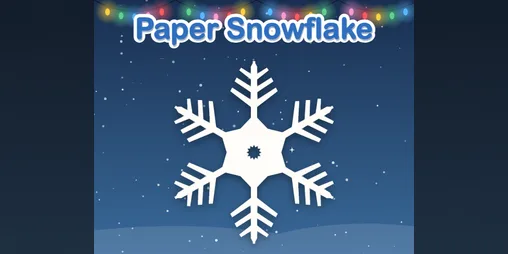 Image: yuki1019.itch.io
Use those shared landmarks to transfer the pattern:
- Inspect the card before placing a point. The countdown begins with your first cutting-board interaction, leaving time to study the target beforehand.
- Locate the outer tip and central disk. Compare where the arm narrows and where it joins the center.
- Match each corner to a guide. Judge its distance from the center and its position between the folds.
- Trace the boundary of the piece to remove. Close the outline by selecting its starting point.
- Compare the remaining paper with the highlighted sector. Add the target’s interior holes and fold cuts before unfolding.
The right, vertical fold follows one snowflake arm. The left fold sits between neighboring arms. Use that distinction when deciding which edge needs a notch.
Cuts touching a fold mirror across it when opened; the fold-cut challenges use this to create diamond-shaped openings. Interior cuts repeat around the snowflake. Place these details relative to the guides instead of estimating their position from the full snowflake.
Manage Snips, Punches, and Undo
A snip is consumed when you complete a polygon, rather than for every point you place. A complicated branching outline can therefore use a single snip.
Each challenge provides one more snip than the target’s polygon count. Levels with circular holes also provide one more punch than the target’s circular-hole count. Treat those extras as room for corrections, and avoid spending them on decoration absent from the target.
Keep these controls within reach:
- Click or tap: Place outline points; select the first point again to complete the cut.
- Enter: Complete an outline containing at least three points.
- Z or Undo: Remove the latest outline point, or undo the latest completed cut when no outline is active.
- P or Punch: Toggle the hole punch on levels that offer it.
- Esc or right-click: Cancel an unfinished outline.
- Space or Unfold: Open the snowflake and score the attempt.
Undoing a completed polygon restores its snip. Undoing a punched hole restores its punch. Undo does not restore elapsed time.
Finish or cancel an outline before switching to the punch, because switching clears unfinished points. Use the punch for the target’s circular openings; its fixed radius is 0.065 times the paper radius.
Unfolding commits the attempt. It can also complete an unfinished outline with at least three points when a snip remains. Inspect the current outline before pressing Space.
Adjust Your Cuts for the Harder Patterns
The levels introduce different reasons for losing accuracy. Use the target’s structure to decide what to correct.
- Level 2: Match both the arm outline and the central star-shaped cut. Place these details carefully when aiming for three stars.
- Level 3: Trace outward and inward around the branch. Preserve the branch as part of the remaining paper.
- Level 4: Align the interior diamond-shaped hole separately from the outer silhouette.
- Level 5: Check both cuts crossing the right fold. This level requires a similarity score of 0.99 for three stars, making fold placement especially demanding.
- Level 6: Compare circular-hole centers against the guides before punching.
- Levels 9, 11, 13, and 15: Reassess spacing for eight-section paper. These wedges are wider than the twelve-section paper used elsewhere.
- Level 14: Follow each branch along the outer boundary before adding the central star.
- Level 15: Plan the outer contour, circular hole, interior polygon, and central star before starting the timer.
When replaying, identify whether the mismatch comes from the outline, a fold opening, or an interior detail. Change the relevant cut’s placement instead of adding unrelated cuts.
Practice Without the Challenge Timer
Clear level 3 to unlock Free Cut, which removes the target, timer, and limits on snips and punches. Switch between the two fold styles and practice how an edge notch, an interior polygon, and a punched circle repeat when unfolded.
The Snowflake Window unlocks after clearing level 1. It keeps your best successful snowflake from each level, letting you inspect its shape and match percentage. Progress saves automatically, and saved snowflakes can be exported as images.
Use Free Cut to rehearse shapes, then return to the challenge levels to earn stars against their exact targets.
Something wrong or out of date on this page? How to report a correction
Continue with
 Paper Snowflake Limited Snips: Plan Every Cut to WinMaster Paper Snowflake limited snips with cut counts, undo controls, fold tips, and match targets. Plan each shape before unfolding your next snowflake.
Continue exploring
Paper Snowflake Beginner Guide: Cuts, Folds, and Stars
Use this Paper Snowflake beginner guide to match folded patterns, manage snips, undo mistakes, earn stars, and unlock Free Cut for your own snowy designs.
Paper Snowflake Level 1: Cut Guide and 3-Star Tips
Beat Paper Snowflake level 1 by tracing the dotted cut, keeping the center intact and unfolding. Learn the controls, scoring, and how to earn three stars.
Join the community
Official channels for news, updates and player help: