Paper Snowflake Level 1: Cut Guide and 3-Star Tips
Beat Paper Snowflake level 1 by tracing the dotted cut, keeping the center intact and unfolding. Learn the controls, scoring, and how to earn three stars.
Jump to
How to Beat the Opening Puzzle
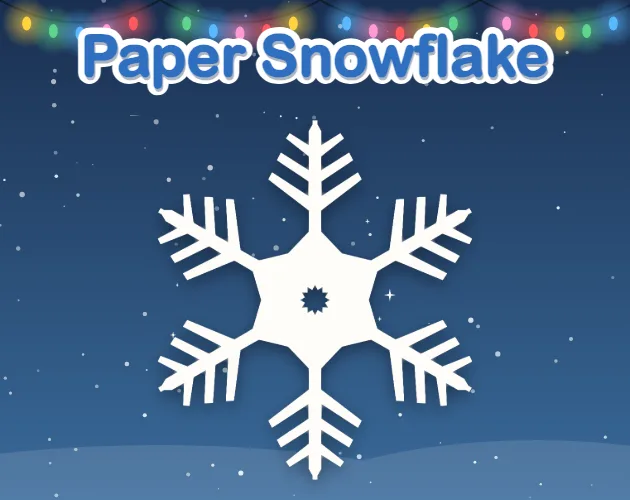
Beat Paper Snowflake level 1 by tracing and removing the dotted outer area, then selecting Unfold. Leave the narrow arm and central disk intact: their shape determines your match score. You have two snips to meet the displayed match target before time runs out.
The opening puzzle uses a folded wedge representing one-twelfth of a six-arm snowflake. Your cut repeats through rotation and reflection when the paper opens, so concentrate on matching that single wedge.
| Goal or resource | Level 1 requirement |
|---|---|
| Passing match | Meet the displayed match target |
| Time limit | Finish before the countdown expires |
| Available snips | 2 |
| Target cut | 1 closed shape removing the outer scrap |
| Two-star match | Higher match accuracy than a basic pass |
| Three-star match | Higher match accuracy than a two-star result |
Study the target before placing your first cutting point. The countdown starts when you begin interacting with the cutting area, giving you time to examine the shape beforehand.
Official page: Paper Snowflake (yuki1019.itch.io)
Trace the Dotted Cut Step by Step
The shaded, dotted region marks the paper to remove. Preserve the slim strip beside the vertical right fold and the wider center below it.
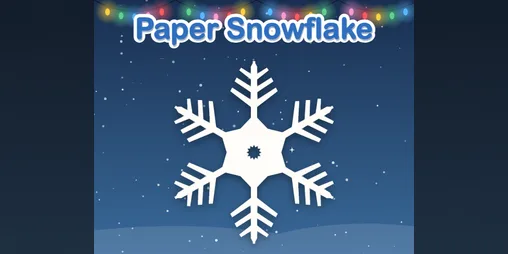 Image: yuki1019.itch.io
- Start at the top of the right fold. Click the upper endpoint of the dotted outline to place your first point.
- Follow the short slanted edge down and left. Place another point at the bend where the narrow arm begins.
- Continue down the long straight section. Follow the dotted boundary beside the right fold toward the central disk.
- Trace the remaining outline around the scrap. Continue through the marked bends and around the outside of the wedge. Enclose the shaded region rather than closing a shortcut through the paper you want to keep.
- Click your first point again. Once your shape contains at least three points, returning to the white starting point closes the polygon and removes the enclosed paper.
- Inspect the remaining wedge, then select Unfold. On a keyboard, press Space.
Click individual corners rather than dragging along the outline. Each click places a vertex, and the game joins those vertices with straight lines.
The target card highlights the wedge corresponding to your paper. Both views share radial guides and curved reference lines; use those landmarks to compare the arm’s width and where it meets the center.
Fix Mistakes Before You Unfold
Use Undo or Z as soon as a point lands in the wrong place. While you are drawing, each undo removes the latest point. After a cut is complete, undo restores the removed paper and refunds that snip.
Other useful controls are:
- Enter: Complete a cut after placing at least three points.
- Esc or right-click: Cancel the unfinished outline.
- Space: Unfold and score the snowflake.
- Touch controls: Tap to place points, tap the starting point to close the shape, and use the Undo and Unfold buttons.
You only need one completed cut to reproduce this target. Leave the spare snip unused if the remaining paper already matches. Adding an unnecessary notch changes every mirrored copy of the wedge.
Check your outline before unfolding. Unfold commits the attempt and ends cutting, so make corrections while the paper is still folded.
Earn Three Stars and Unlock the Snowflake Window
Aim for three stars by matching the target’s remaining paper as closely as possible. The score compares the paper remaining in your unfolded snowflake with the target. Cutting away too much and leaving extra paper both reduce that overlap.
Keep the long arm edge straight, follow the bend near its tip, and preserve the central disk’s boundary. Avoid adding decorative holes or branches: the opening target uses only the outer shaping cut.
Clearing the level unlocks the Snowflake Window, where your successful snowflake hangs as the shape you actually cut. Replaying can replace that saved piece when your match score equals or exceeds your previous result. Progress saves automatically.
Something wrong or out of date on this page? How to report a correction
Continue with
 Paper Snowflake Level 15: Final Puzzle Solution GuideBeat Paper Snowflake level 15 with the exact cut layout, hole placement, controls, and match targets. Plan your final snowflake and aim for three stars.
More in Levels
Paper Snowflake Level 2 Guide: Cuts, Timing, and Stars
Beat Paper Snowflake level 2 with the arm outline and center cut. Learn snip limits, timing, undo controls, and how to improve your match for three stars.
Paper Snowflake Level 3: Branch Cuts and Unlock Guide
Beat Paper Snowflake level 3 with a clear branch-cut walkthrough. Learn the match requirement, manage two snips, and unlock Free Cut after clearing it.
Paper Snowflake Level 4: Cut the Hole and Clear It
Beat Paper Snowflake level 4 with the cut layout, enclosed diamond hole, and limited snips. Learn where to cut and how to fix mistakes before unfolding.
Paper Snowflake Level 5: Diamond Cuts and Full Solution
Beat Paper Snowflake level 5 with the three-cut solution, precise fold-notch placement, scoring thresholds, and controls for earning three stars in time.
Continue exploring
Paper Snowflake Three Stars: Match Scores and Cut Tips
Earn Paper Snowflake three stars with exact match thresholds for all 15 levels, fold-cut tips, hole punch controls, and smarter snip planning for each run.
Paper Snowflake Free Cut: Unlock, Create, and Save
Paper Snowflake free cut unlocks after level 3. Learn the controls, switch folds, create custom designs, and save your own snowflakes as images to share.
Join the community
Official channels for news, updates and player help: